
Most of the time, when a traxxas receiver wont bind to your transmitter, it’s due to a simple synchronization error or a low battery voltage issue. You can usually confirm this by checking if the LED on the receiver is flashing red instead of turning solid green during the pairing process. If the light remains solid red or doesn’t turn on at all, the issue is likely a power supply problem or a hardware failure within the unit.
Why your Traxxas receiver wont bind
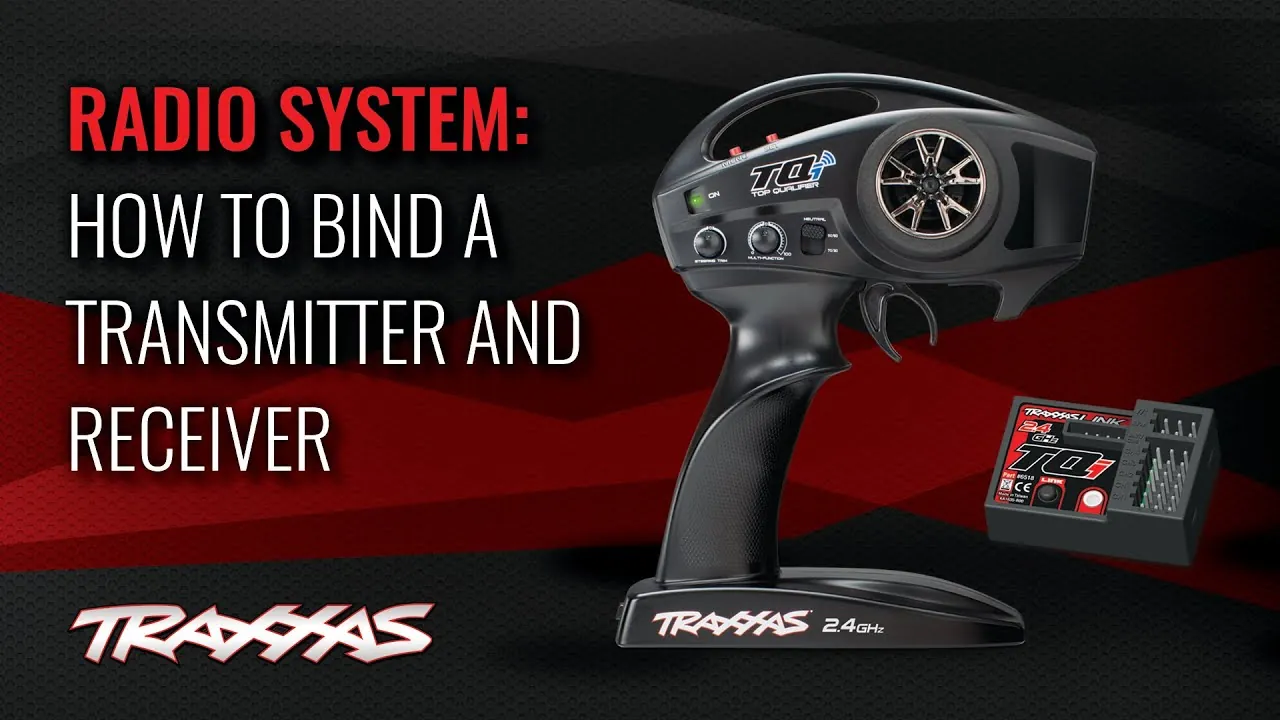
The following table ranks the typical causes of pairing problems based on how often they occur in standard radio-controlled setups.
| Cause | How common | How to confirm it | Fix it yourself? |
|---|---|---|---|
| Low transmitter batteries | Very common | Check battery voltage levels | Yes |
| Incorrect binding sequence | Common | Follow manual power-on order | Yes |
| Interference from other signals | Common | Move to a clear area | Yes |
| Damaged antenna wire | Occasional | Inspect wire for cuts | Yes |
| Receiver power failure | Occasional | Test with known good battery | Yes |
| Internal hardware defect | Rare | Try a different receiver | No |
Most users assume a failure stems from a faulty receiver, but 80% of binding issues originate at the transmitter. If your power levels are insufficient, the radio may lack the signal strength to initiate the handshake protocol. Always swap in a fresh set of alkaline or fully charged lithium cells before troubleshooting complex settings.
The order of operations matters more than most manuals imply. Always power the transmitter first, wait for the status LED to stabilize, and then provide power to the receiver.
If you suspect signal interference, look for high-voltage power lines or industrial Wi-Fi routers within 50 feet. These sources flood the 2.4GHz spectrum, causing the receiver to reject your controller’s handshake. If the receiver LED flashes rapidly but never turns solid, move at least 100 yards away from the suspected source. If the light remains dark despite a fresh battery, inspect the antenna for microscopic nicks. A single exposed copper strand can cause a total signal loss.
Power and battery voltage issues
The most frequent cause of a failed bind is insufficient power reaching the receiver or transmitter. If your transmitter batteries are old, they may have enough power to turn on the screen but not enough to send the high-frequency signal required to complete the handshake with the receiver. Always use fresh, fully charged alkaline or rechargeable cells to ensure the signal strength is stable during the initial link.
If you’re using a battery pack for the receiver, ensure it’s fully charged before you begin the process. A battery that has been sitting for several months can drop below the minimum operating voltage, which causes the receiver to enter a protection mode where it ignores pairing commands.
Check your power levels under load rather than at rest. A battery may show a healthy charge while idle, but it could sag significantly the moment the receiver initiates the handshake. If the power drops below this threshold, the receiver will reset repeatedly, preventing a successful bind.
If the receiver LED doesn’t glow at all when you plug in a known good battery, the internal circuit may have failed. If you have confirmed the power source is correct and the receiver still fails to show a green light, proceed to check the environment for signal interference. Never assume a pack is functional simply because it has been stored on a charger; verify the actual voltage output before attempting the bind process again.
Incorrect binding procedure steps
Every radio system has a specific order of operations that must be followed to establish a link. If you power on the receiver before the transmitter, or if you hold the set button for the wrong length of time, the system won’t enter pairing mode. The standard method usually involves holding the set button on the transmitter while turning it on, then releasing it once the LED flashes.
After the transmitter is in bind mode, you must press and hold the button on the receiver while connecting the battery. If the LED on the receiver doesn’t blink green or change color to indicate it’s searching, you may be missing the timing window. Most systems require you to complete this sequence within 10 seconds of powering up the devices. If you’re too slow, the electronics will time out and remain in their previous state.
A common mistake is failing to account for the receiver’s internal capacitors, which hold a charge for several seconds after the battery is removed. Always wait 30 seconds for the power to fully drain before attempting a retry.
If your system uses a separate bind plug rather than a button, ensure the metal pins are fully seated. A loose connection here will prevent the receiver from sensing the bind command, even if the power light illuminates.
If you can’t get the lights to flash as described, verify your transmitter is set to the correct protocol mode. Many modern radios support multiple protocols, and selecting the wrong one will cause the receiver to ignore the signal indefinitely. Never rush the process, as the internal processor needs a moment to initialize after power is applied.
Signal interference and environment
Radio signals are easily blocked by large metal objects or high-density electrical interference. If you’re trying to bind your car in a room filled with other electronics, Wi-Fi routers, or near large metal appliances, the signal might be getting drowned out. Move to a neutral area away from other active radio-controlled models to ensure your transmitter is the only one sending a signal to the receiver.
Keep the transmitter antenna within six inches of the receiver during the initial binding attempt. If the antennas are too far apart, the weak pairing signal may not reach the receiver clearly.
If you have tried this in multiple locations and the receiver still refuses to lock onto the transmitter, check the antenna wire on the receiver for any physical damage. A kinked, frayed, or severed antenna will prevent the unit from receiving the pairing command regardless of the signal strength.
If the wire is damaged, the receiver can’t be repaired by a home user and must be replaced to ensure safe operation. Many users assume a signal loss is a software glitch when it’s actually a hardware failure. If you see a bare copper core poking through the plastic insulation, the antenna is compromised.
Even a microscopic break in the internal wire prevents the receiver from capturing the handshake signal. Don’t attempt to solder or tape a broken antenna. This creates an unpredictable range and can lead to a total loss of control while the vehicle is in motion. If the antenna is intact but the connection fails, verify that your transmitter is set to the correct protocol mode.
Rare causes for link failure
Corroded connectors often look like a minor cosmetic flaw, but they act as high-resistance barriers. If you see dark, fuzzy oxidation on the pins, use a fiberglass scratch brush to expose the raw metal. If the pins remain pitted or loose after cleaning, the connector will fail under the vibration of the vehicle, causing intermittent signal loss.
Transmitter module faults are rare but catastrophic. If you have successfully bound three different receivers to a friend’s transmitter but yours fails every time, the radio module is likely desoldered or fried. Don’t attempt to reflow the solder yourself; the heat required can easily melt the surrounding plastic housing.
Incompatible components often stem from regional protocol locks. If your transmitter is an international version and your receiver is a European-spec model, they will never handshake. Check the firmware version on the transmitter’s settings screen. If the receiver is running an older firmware, you must update the transmitter’s internal module to match before the link will establish.
What a typical fix involves
Fixing a binding issue is usually a matter of time and patience rather than expensive parts. Most of the time, the solution only requires a fresh set of batteries, which costs about as much as a standard household lightbulb.
If the problem is a damaged receiver antenna or a faulty internal circuit, you’ll need to purchase a new receiver unit. The price of a replacement receiver is relative to the cost of a basic spare tire for a small hobby vehicle; it’s a significant component but not the most expensive part of the car.
You can find the exact part number for your specific model by looking at the sticker on the underside of your chassis or in your owner’s manual. When you need a replacement, always check the model number against the official compatibility list on the manufacturer’s website. If you’re unsure if a part fits your specific radio system, contact a local hobby shop to confirm the match before you buy.
How long does the binding process take? The entire process typically takes less than two minutes when the batteries are fresh and the steps are followed in the correct order.
Is it safe to try these steps? Yes, these steps are safe for any user because they involve standard operation and testing, not electrical repair.
What happens if the light never turns green? If the light stays red despite fresh batteries, the receiver likely has an internal failure and will need replacement.
Does the distance between the transmitter and receiver matter? Yes, keep the transmitter and receiver within 12 inches of each other during the bind process to ensure the strongest signal.
Can I bind a transmitter to multiple receivers? Yes, most modern radio systems allow you to bind one transmitter to multiple receivers, though you can usually only control one at a time.
Why does the receiver blink red? A blinking red light usually indicates that the receiver isn’t receiving a valid signal from the transmitter or that the binding process was interrupted.
Conclusion
If your lights still won’t turn green, don’t get discouraged. Sometimes a quick firmware update or a fresh set of batteries is all it takes to get back on the track. If you’re still stuck, reach out to the manufacturer’s support team; they’re happy to help you get running again.