
A bad connection or a depleted cell voltage is the most common reason you find a traxxas battery not charging when you plug it into your charger. You can confirm this by checking the balance plug pins for debris or by using a multimeter to read the individual cell voltage. If the voltage drops below the safety threshold, the charger often refuses to start to prevent a fire. Always refer to your specific battery manual for the correct voltage range, as these values differ between LiPo and NiMH chemistries.
Troubleshooting common Traxxas battery charging issues
| Cause | How common | How to confirm it | Fix it yourself? |
|---|---|---|---|
| Bad balance plug | Very common | Look for bent pins | Yes, with care |
| Deeply discharged cell | Common | Check voltage with meter | No |
| Blown charger fuse | Occasional | Check for power light | Yes |
| Damaged wire insulation | Occasional | Inspect wire for cuts | No |
| Internal cell failure | Rare | Check for puffed pack | No |
| Charger setting error | Rare | Verify charge mode | Yes |
If a cell is deeply discharged, most smart chargers will reject the pack as a safety precaution. Don’t attempt to force a charge in this state, as it risks a fire. If you see no reading at all, the internal connection is likely severed and should be inspected by a technician.
Check your balance plug pins under a bright light. A single recessed pin prevents the charger from reading individual cell voltages, causing an immediate error. If you notice a pin pushed back, use needle-nose pliers to gently pull it forward until it clicks into place.
Many users mistakenly blame the battery when the issue is actually a loose connection at the power supply. If your charger shows no display, test the outlet with a lamp first. If the charger has power but refuses to start, ensure your cell count setting matches the pack exactly. A mismatch of even one cell will trigger a voltage error to prevent overcharging.
Fixing a loose or dirty balance plug
A dirty or bent balance plug is the most frequent cause of charging errors because the charger can’t detect the voltage of each individual cell. If the charger doesn’t receive a clear signal from every cell, it will stop the process immediately to protect the pack. You can check this by looking closely at the white plastic plug on the battery. If you see a pin that’s pushed back or bent, the charger won’t make a proper connection.
To fix a bent pin, use a small pair of needle-nose pliers to gently straighten it while the battery is disconnected from everything. If the pins are simply dirty, use a small amount of electrical contact cleaner on a cotton swab to wipe the surface.
Never use metal tools inside the plug while the battery is connected, as this creates a short circuit. If the plastic housing is melted or the wires are loose at the base of the plug, don’t attempt a repair. This indicates internal damage that requires a professional to inspect or replace the harness.
If the pins look fine but the charger still shows an error, check the pins on the charger side. Sometimes the female side of the port gets loose over time. If you can’t get a firm “click” when inserting the plug, the connection is likely failing. If the charger isn’t reporting a cell count, it’s almost certain that the balance plug isn’t making contact. Always ensure the plug is pushed in all the way until it locks into the port.
Addressing low voltage cut-off
A battery that has been left in a model for too long may fall below the minimum voltage required for the charger to recognize it. Most chargers are programmed to reject a pack if the voltage is too low, as this is a sign of a damaged or unstable battery.
You can verify this by using a digital voltmeter to measure the voltage across the main discharge leads. If the reading is near zero or significantly lower than the nominal voltage of the pack, the battery has likely reached an unsafe state.
If your battery is puffed or feels soft, the chemical structure inside is compromised. Don’t try to “trick” the charger by selecting a different chemistry setting, as this can lead to a fire. If the voltage is truly too low, the safest choice is to recycle the battery at a local hobby shop.
If the voltage is just slightly below the limit, some advanced chargers have a “recover” or “revive” mode. Only use this if your specific charger model supports it and explicitly states it’s for low-voltage recovery. If your charger doesn’t have this feature, don’t try to force a charge. Forcing a charge into a damaged cell creates a high risk of venting or thermal runaway.
Resolving charger and power supply issues
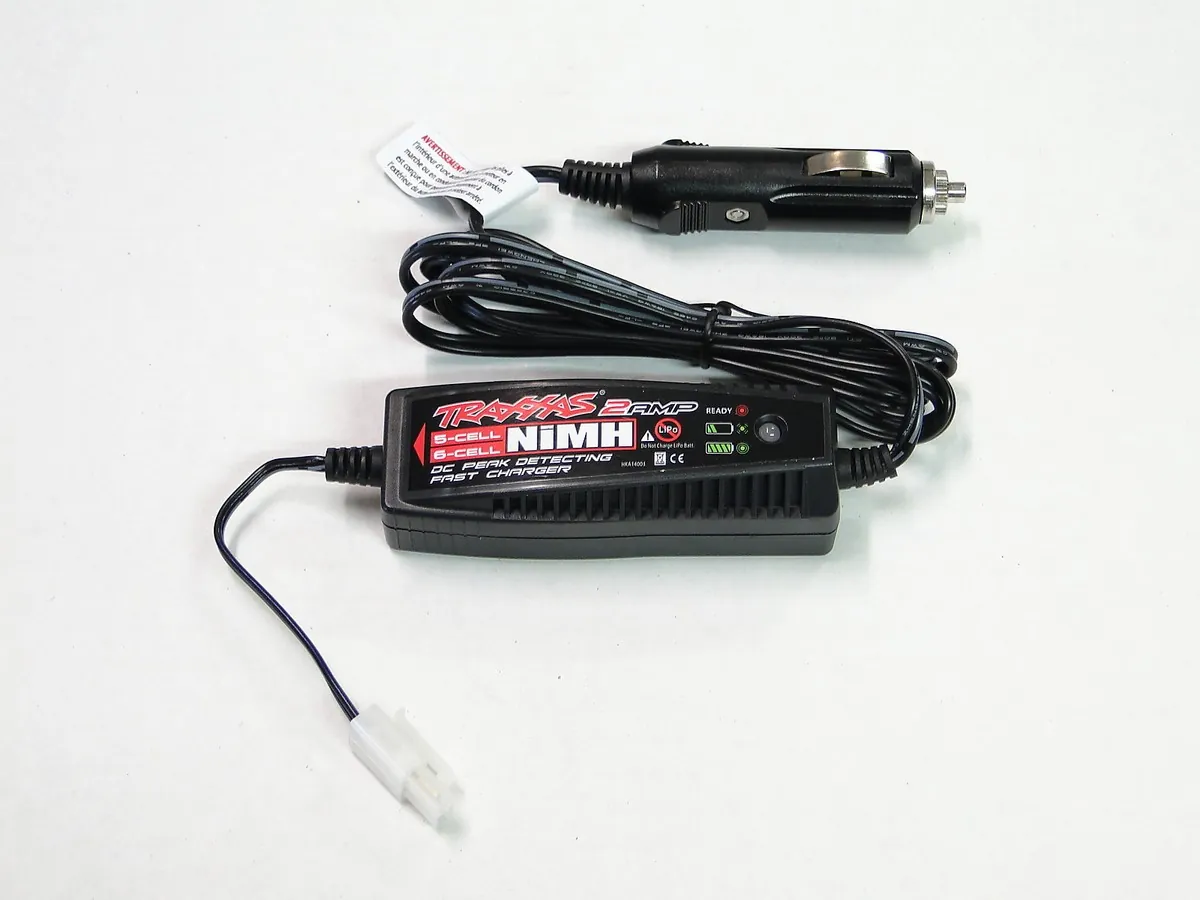
A charger that won’t turn on or fails to start the cycle often points to a power supply or internal fuse issue. Check the power lead connected to your wall outlet or your DC power source to ensure it’s tight. If the charger screen is blank or flashing an error code immediately upon plugging it in, the internal fuse might be blown.
If you’re using a car battery or a power supply, ensure it provides enough current to meet the charger’s requirements. A charger drawing a high current will fail if the power supply is insufficient, so have a technician verify your power supply capacity.
If you’re using an adapter, check that it isn’t loose. A loose connection causes the voltage to dip whenever the charger tries to pull current, which makes the unit reboot. If the unit restarts every time you press the “start” button, the power source is likely failing to hold a steady voltage under load. If you have confirmed the power input is correct and the unit still fails, the charger itself may have an internal hardware fault.
Rare causes of charging failure
Broken internal solder joints on the battery tabs usually show as a fluctuating reading during the start of the charge. If the measurement jumps erratically during the initial handshake, the connection is likely failing and requires a professional technician to repair.
A damaged charging cable between the power supply and the charger often has a broken wire inside that you can’t see. Flex the cable gently while watching the charger display; if the connection drops or the amperage spikes, replace the cable immediately to prevent fire.
Internal short circuits within the LiPo cells can cause the charger to report a “cell count mismatch” even when the plug is seated. If the charger detects a ghost cell, check the balance lead for corrosion. If the pins are clean, the internal chemistry has likely degraded. Stop using the battery immediately and seek assistance from a local hobby store technician.
Understanding the cost of repairs
Fixing a charging issue usually involves either a simple cleaning, a replacement cable, or a new battery. If the problem is just a dirty plug, the cost is essentially zero, as it only requires a few minutes of your time and basic cleaning supplies.
Replacing a charge lead or a fuse is also inexpensive, typically costing about as much as a small accessory for your model. You can find these parts at most hobby shops or by ordering from the manufacturer’s website.
If the battery itself is the cause, the cost is much higher, as it requires buying a new pack. The price of a new battery depends on its capacity and cell count, which you can find on the label of your current pack.
If you need a professional to test your equipment, they may charge a small service fee for their time. Always ask for a quote before any work begins to ensure it makes financial sense compared to buying a replacement.
Related guides
Frequently asked questions
Can I leave my battery on the charger overnight?
It isn’t recommended to leave any battery unattended while charging, as this creates a significant fire risk. Even with modern smart chargers, a hardware failure could prevent the unit from stopping the charge when the pack is full. Always stay in the room while the battery is connected to the charger to monitor for any heat or unusual behavior.
Why does my charger say cell count mismatch?
A cell count mismatch usually means the charger detects a different number of cells than what you selected in the menu or what the battery should have. This often happens because one of the balance wires is broken or a pin in the plug isn’t making contact. Double-check that your plug is fully seated and inspect the wires for any visible breaks.
Is it safe to use a third-party charger?
It’s safe to use a third-party charger only if it’s compatible with the specific chemistry of your battery and supports the correct plug type. You must manually set the correct cell count, chemistry, and charge rate for every single session to avoid damaging the cells. If you’re unsure about the proper settings for your battery, it’s much safer to use a brand-specific charger.
How long does a typical charge take?
A typical charge takes between 45 and 90 minutes, depending on the capacity of your battery and the amperage setting of your charger. If you use a high charge rate, the time will be shorter, but this can reduce the overall lifespan of your cells. Always check the battery label for the maximum recommended charge rate before you start the process.
Does it matter if my battery gets warm while charging?
It’s normal for a battery to become slightly warm during a charge, but it should never be hot to the touch. If the pack feels hot or you can smell a sweet odor, disconnect the charger immediately and move the battery to a safe, non-flammable area. A battery that gets hot consistently during normal charging is likely nearing the end of its functional life.
What happens if I use the wrong charge mode?
Using the wrong charge mode, such as charging a LiPo in NiMH mode, can cause the battery to overheat, swell, or catch fire. The charger won’t be able to detect the correct voltage and will continue to pump energy into the cells until they fail. Always verify the chemistry and cell count on the charger screen before you press the start button.
Conclusion
If your battery still won’t hold a charge after checking these basics, it’s time to reach out to the manufacturer’s support team. They’ll help you determine if the unit is faulty or simply nearing the end of its lifespan. Don’t risk using a damaged pack, as it isn’t worth the trouble.