
Finding your breast pump unresponsive when you need it most is a stressful experience for any nursing parent. If you find your momcozy m5 not turning on, the issue is often related to power supply, charging habits, or internal debris rather than a permanent hardware failure. By systematically checking your components and following the correct reset procedures, you can often restore functionality without needing a replacement unit.
Key Takeaways
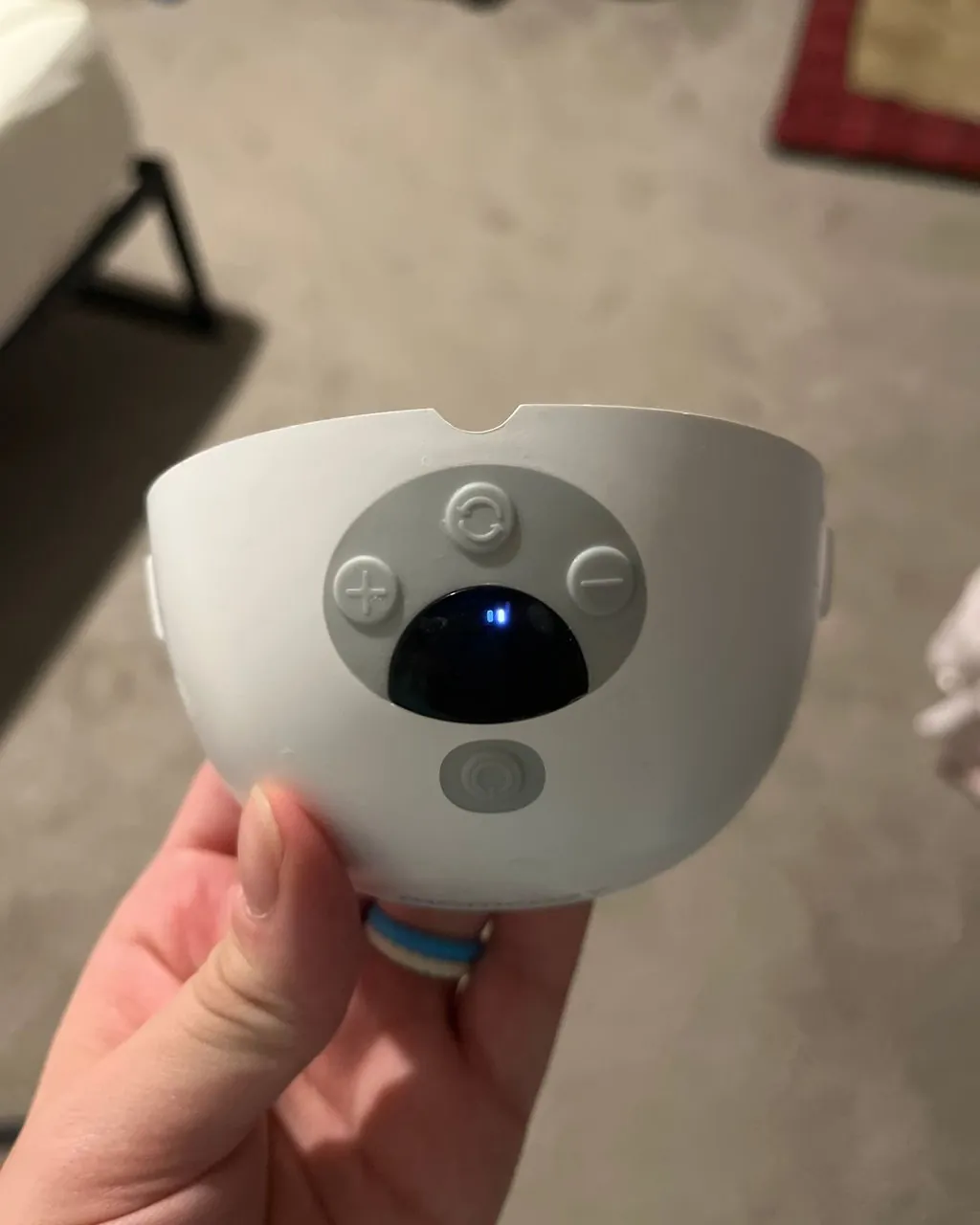
- Ensure the charging cable is pushed firmly into the port until you feel a definitive click or see the light indicator.
- Always use a standard 5V/1A or 5V/2A power adapter to avoid damaging the internal lithium-ion battery.
- Check the suction port and pump motor for dried milk residue that may be preventing a proper electrical connection.
- Perform a hard reset by holding the power button for at least ten seconds while the device is unplugged.
- Inspect the charging cable for fraying or bent pins that might prevent the pump from receiving an adequate charge.
Why Is My Pump Unresponsive?
The M5 is a sophisticated piece of wearable technology, but it relies on consistent electrical flow to function. When the device fails to power up, it’s usually because the battery management system has entered a safety mode or the connection points are obstructed.
Most wearable pumps use sensitive charging ports that can become clogged with lint from clothing or dried breast milk. Before assuming the motor is broken, you must rule out simple connectivity failures. Verify that your power outlet is functional by testing it with another small electronic device, like a phone charger, to ensure the wall socket is providing power.
Troubleshooting Your Momcozy Not Turning On
The most common cause for a pump failing to start is a depleted battery that hasn’t reached the minimum voltage threshold required to engage the motor. If you have left the pump sitting for several weeks, the battery may have entered a deep discharge state.
| Component | Status Check | Action Required |
|---|---|---|
| Wall Adapter | Verify output | Use a 5V/1A or 5V/2A block |
| USB-C Cable | Check for damage | Replace if frayed or bent |
| Charging Port | Inspect for debris | Clean with a dry toothpick |
| Battery Level | Look for lights | Charge for 2 full hours |
Warning: Never use high-wattage fast-charging blocks designed for laptops or tablets, as these can exceed the voltage limit of the pump’s internal battery and permanently compromise its circuitry.
Cleaning The Charging Port
Over time, the small crevices around the charging port can accumulate dust or milk film. Because the M5 is a wearable device, it’s often exposed to the environment inside a bra, which is prone to lint buildup.
If the charging cable can’t make a flush, secure connection with the internal pins, the pump won’t receive the current it needs to wake up. Use a soft, dry, non-conductive tool to gently clear the port. Avoid using metal objects like sewing needles, which can short out the sensitive electrical contact points.
How To Reset The Motor
If the pump is fully charged but the screen remains dark or the motor doesn’t vibrate, a software glitch may be the culprit. A hard reset clears the temporary memory of the device and forces the processor to reboot.
To perform this, ensure the pump is disconnected from any power source. Press and hold the power button firmly for at least fifteen seconds. If the device is merely stuck in a firmware loop, this action will often trigger the start-up sequence and restore the normal operation mode.
Is The Battery Damaged?
Lithium-ion batteries have a finite lifespan and can degrade if they’re exposed to extreme temperatures or left at zero percent charge for extended periods. If you have owned the pump for several months and notice the battery life has been steadily decreasing, the current issue might be a total battery failure.
You can identify a failing battery if the device powers on briefly when plugged in but shuts down immediately once the cable is removed. This indicates the battery can no longer hold a reliable charge capacity.
Checking For Internal Obstructions
Sometimes the pump is actually turning on, but the motor is unable to spin because of physical resistance. If you have recently spilled milk or if there’s a buildup of sticky residue inside the motor housing, the pump may detect a fault and shut down immediately to protect the motor.
Open the pump assembly and check the diaphragm and seal areas. If the motor sounds like it’s struggling or clicking, it’s likely jammed. You should follow the manufacturer’s guidance on cleaning the breast pump components to ensure safe and hygienic use.
Evaluating Cable Compatibility
Not all USB-C cables are created equal. While the M5 comes with a specific cable, users often swap them out for longer or more convenient cords they have lying around the house. If you’re using a cable intended only for data transfer rather than power delivery, the pump won’t charge.
Always attempt to charge the device using the original cable that came in the box. If you have lost the original, ensure any replacement cable is rated for power delivery specifications and fits snugly into the port without wiggling.
Identifying Hardware Faults
If you have tried the reset, cleaned the port, and tested multiple cables but the pump remains completely unresponsive, you may be dealing with a hardware failure. This could involve a faulty power button, a broken solder joint on the internal motherboard, or a failed motor.
In these instances, the unit is likely beyond simple user-level repair. Check your purchase date to see if the device is still covered under the manufacturer’s warranty period. If it is, contact the support team with your order number and a description of the troubleshooting steps you have already attempted.
How To Safely Store Pumps
Proper storage is the best way to prevent future power issues. If you plan to store your pump for more than a few days, try to keep the battery at approximately 50 percent charge.
Storing a battery at 100 percent for long periods can cause it to swell, while storing it at 0 percent can lead to a “dead battery” state where it will no longer accept a charge. Keep the pump in a cool, dry place away from direct sunlight. High heat is the primary enemy of lithium-ion chemistry and will accelerate the aging of your pump’s internal power cell.
Frequently Asked Questions
Can I charge my pump with a laptop?
Yes, you can use a laptop USB port to charge your pump, but be aware that it may take significantly longer than using a wall adapter. Laptop ports are often limited to 0.5A or 0.9A, which is lower than the recommended 1A or 2A. If you choose this method, ensure the laptop is plugged into a power source and not running on its own battery.
Why do the lights blink but it won’t start?
Blinking lights usually indicate a specific error code or that the battery is critically low. If the lights blink in a specific pattern, consult your instruction manual for the error key. If they blink and then turn off, it’s a sign that the battery doesn’t have enough power to engage the motor and needs to be left on the charger for at least an hour.
Can I replace the battery myself?
No, the battery in the M5 is an integrated component. Attempting to open the casing to replace the battery yourself will void your warranty and may be dangerous. Lithium-ion batteries can catch fire if punctured or handled incorrectly. If the battery is no longer holding a charge, you must contact the manufacturer for a repair or replacement of the entire pump unit.
How do I know if the port is broken?
If the cable feels loose or wobbly when inserted, or if you can see bent pins inside the USB-C port, the port is likely physically damaged. You may also notice a burning smell or see sparks, which are major red flags. If you see physical damage to the port, stop using the device immediately to prevent a potential electrical hazard or fire.
Is it safe to use while charging?
It’s generally not recommended to use the pump while it’s plugged into a wall outlet. Most wearable pumps are designed to be used as cordless devices. Using the pump while plugged in can strain the charging cable and the port, and it may interfere with the pump’s ability to maintain a consistent vacuum pressure. Always disconnect the power cable before starting a pumping session.
Conclusion
If you have exhausted all these troubleshooting steps and the device still refuses to turn on, your next step is to locate your original order confirmation and contact the retailer or manufacturer’s customer service department to initiate a warranty claim for a replacement unit. Be prepared to provide your serial number and a clear description of the issues you encountered during your attempt to fix the power failure.